Same problem here.
After Login the screen freezes.
Enders Client and Vanilla
Nvidia driver and java on last update.
Already reinstalled java
Win7x64
-
Kojirox
- Posts: 4
- Joined: Sat Oct 29, 2011 11:12 pm
-
MagicManICT

- Posts: 18435
- Joined: Tue Aug 17, 2010 1:47 am
Re: Crashing to Desktop? Have an Nvidia card? Solution.
If you're crashing after logging in, exactly when are you crashing? If it's after character selection, delete the file belts_<char-name>.conf. That should fix the problem.
Opinions expressed in this statement are the authors alone and in no way reflect on the game development values of the actual developers.
-
Kojirox
- Posts: 4
- Joined: Sat Oct 29, 2011 11:12 pm
Re: Crashing to Desktop? Have an Nvidia card? Solution.
MagicManICT wrote:If you're crashing after logging in, exactly when are you crashing? If it's after character selection, delete the file belts_<char-name>.conf. That should fix the problem.
After login, the map doesnt load and freeze the screen.

---------- EDIT ----------
This is a internet problem, on router i think, because i changed my router and game works like a charm
Last edited by Kojirox on Tue Nov 01, 2011 6:58 pm, edited 1 time in total.
-
MagicManICT
- Posts: 18435
- Joined: Tue Aug 17, 2010 1:47 am
Re: Crashing to Desktop? Have an Nvidia card? Solution.
Kojirox wrote:After login, the map doesnt load and freeze the screen.
How long after logging in do you wait for the client to come back? It can take me upwards of 5 minutes for the client to become responsive on my 8 year old system.
Opinions expressed in this statement are the authors alone and in no way reflect on the game development values of the actual developers.
-
Kojirox
- Posts: 4
- Joined: Sat Oct 29, 2011 11:12 pm
Re: Crashing to Desktop? Have an Nvidia card? Solution.
MagicManICT wrote:Kojirox wrote:After login, the map doesnt load and freeze the screen.
How long after logging in do you wait for the client to come back? It can take me upwards of 5 minutes for the client to become responsive on my 8 year old system.
Last night I waited for 8hours, and still freezed like the screen shot.
Im trying on vanilla too, but on vanilla only show the Loading screen e nothing happens
---------- EDIT ----------
This is a internet problem, on router i think, because i changed my router and game works like a charm
-
Saif_Mahlik

- Posts: 473
- Joined: Mon May 17, 2010 8:52 pm
Re: Crashing to Desktop? Have an Nvidia card? Solution.
For foot sake!
Whenever I change the settings it goes back to auto
Whenever I change the settings it goes back to auto
Dead Beaten Horse.
-
random_awesomeness
- Posts: 15
- Joined: Tue Jan 31, 2012 11:35 pm
Re: Crashing to Desktop? Have an Nvidia card? Solution.
not working for me, once i press the play button, it goes on the screen for a split sec and then just goes into an error window
-
Seki
- Posts: 1
- Joined: Tue Mar 13, 2012 7:31 pm
 Re: Crashing to Desktop? Have an Nvidia card? Solution.
It's aaaaaaaalways crashing. Everytime I use my warp to my hearthfire or I enter or leave a house. Its just closing. It doesnt matter which nvidia settings I use nor which version (64x or 32x) nor which client (ender or normal or anything). Java and everything up to date.
I just want to play this freaking awesome game, so PLEASE someone... I need help.
I just want to play this freaking awesome game, so PLEASE someone... I need help.
-
fathermc
- Posts: 3
- Joined: Wed Apr 18, 2012 10:24 pm
Re: Crashing to Desktop? Have an Nvidia card? Solution.
I also have the same problem, I am using Ender's 32 bit modified client because the default client has some HUGE bugs.
I didn't even get the chance to create a new character yet. I click "NEW CHARACTER" and it freezes. I waited 45 minutes then I turned it off or it would go on forever.
I did everything listed above and searched the forums for a conclusion but yet its the same.
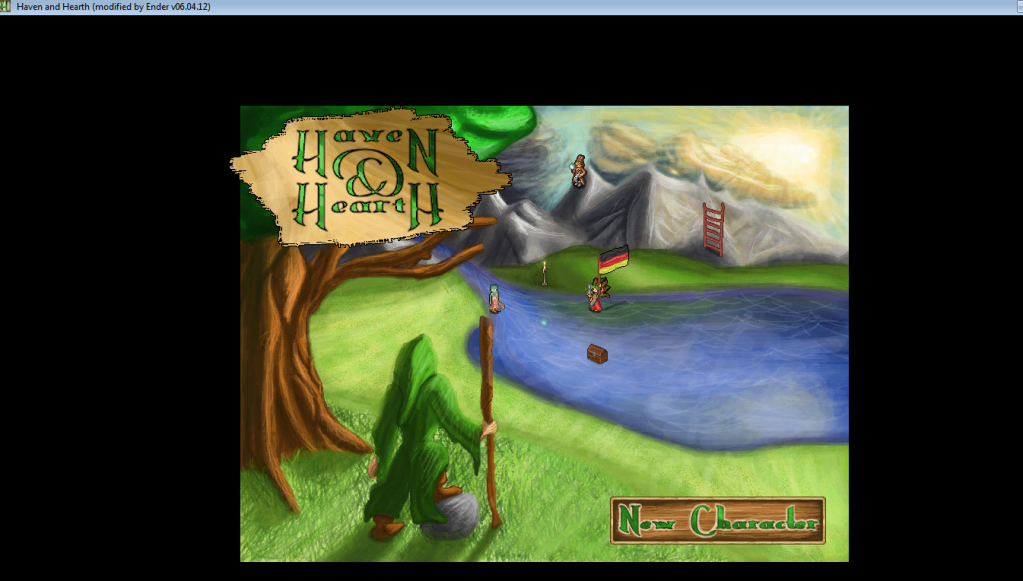
I didn't even get the chance to create a new character yet. I click "NEW CHARACTER" and it freezes. I waited 45 minutes then I turned it off or it would go on forever.
I did everything listed above and searched the forums for a conclusion but yet its the same.
-
MagicManICT
- Posts: 18435
- Joined: Tue Aug 17, 2010 1:47 am
Re: Crashing to Desktop? Have an Nvidia card? Solution.
This isn't the same problem. Feel free to try what's suggested in the OP, but it's not likely to work for you.
Opinions expressed in this statement are the authors alone and in no way reflect on the game development values of the actual developers.
